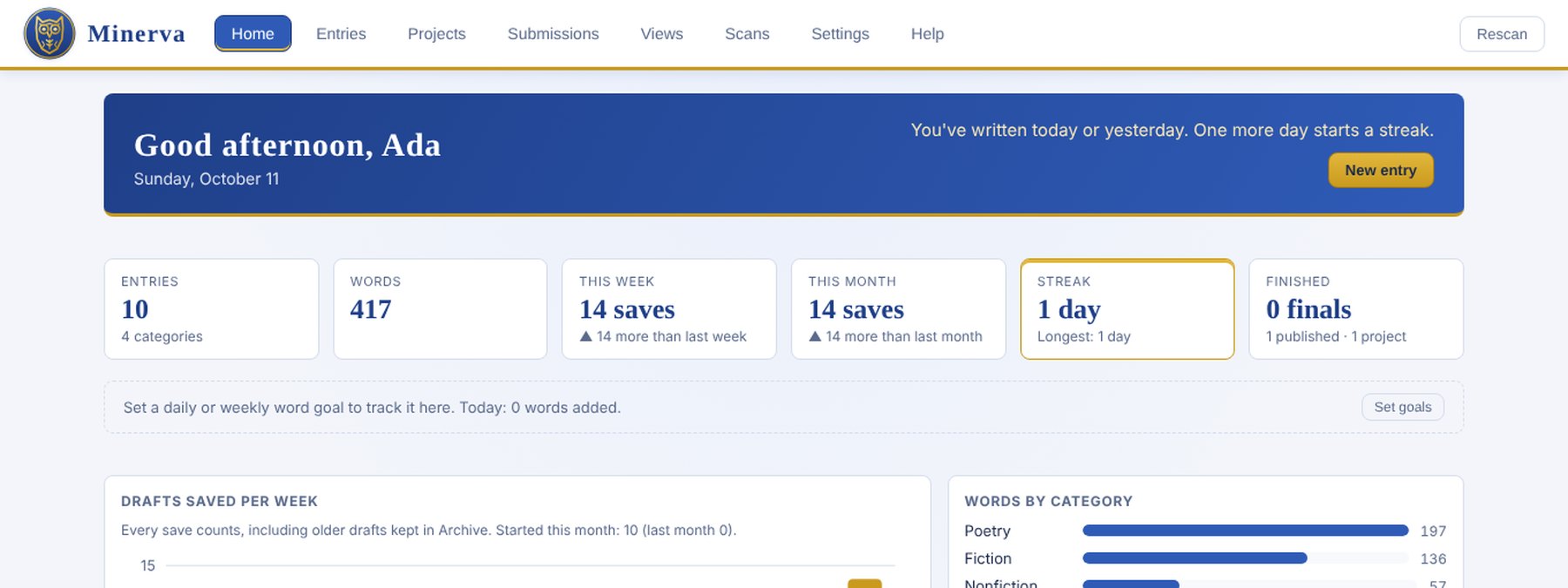
Minerva is a desktop app for keeping a lifetime of writing in order. It keeps every draft, reads scanned notebook pages back into text, gathers pieces into manuscripts, and tracks where each one has been submitted. It's free, open source, and runs on Windows, Mac and Linux. You can read about the project or download it.
This post is about how it got built.
Why I Built It
My writing lives everywhere: years of handwritten notebooks, Word files, notes apps, and a dozen versions of the same poem. Every writing app I tried wanted me to start over inside it, and none of them could read my handwriting. I wanted a tool that worked on the folders I already had and never put any of it at risk.
Three Weeks, by the Numbers
The first commit landed on September 22. Version 0.8.0 shipped on October 11. In between:
- 133 commits across about 120 pull requests
- About 25,000 lines of Python and JavaScript
- 267 automated tests, all run against a made-up sample library
- 3 platforms, each built and self-tested automatically on every change
Like my other recent projects, I built it in conversation with Claude Code. I made the product calls, tested on my own machines, and pushed back when something wasn't right. The AI handled the volume of code. That split is the only way a project this size fits into three weeks.
The Rules That Shaped It
A few rules came first and decided most of the design:
- Never delete or overwrite a file. Saving archives the previous draft first. Minerva only adds its own hidden index folder and files you ask it to save.
- Plain folders and text files. Every piece is an ordinary folder you can open without Minerva, so the app is never a lock-in.
- AI suggests, a person decides. Transcriptions and edits wait for you to accept them. You can use Claude, OpenAI or Gemini with your own key, or a free model running on your own computer.
- Keys stay in the system's credential store, never in the library or a settings file.
Rules like these made the app easier to trust, and they also made it easier to build: when every operation can only add, a whole category of bugs goes away.
The Hard Parts
Scans to text. Handwriting is the feature I wanted most and the one that took the most iteration. The final flow copies pages in from Google Drive, Dropbox or OneDrive, transcribes each page, and puts the transcription beside the original image so you can proofread before anything is filed.
A freeze nobody could reproduce. For a while the app sometimes hung on launch. Splitting it into two processes and logging every step of startup turned a vague "it freezes sometimes" into a specific, fixable cause.
Three operating systems. Minerva started as a Windows app. Getting a Mac app and a Linux build meant handling each system's config folder, credential store and web view, then having GitHub Actions build all three, launch each one in a self-test, and publish them together as a release.
Going Public
Making the project open source raised a question I hadn't planned for: what's in the history? The private repository's commit history included personal details and real titles from my own writing, and GitHub keeps old pull request commits even after a cleanup. So rather than flip the private repo to public, I started a fresh public repository with a clean history, released it under the MIT license, and kept the tests on a synthetic library so no real writing ever enters the code.
There was a practical upside too. GitHub Actions minutes are free for public repositories, which mattered after the private repo burned through its monthly budget building three platforms.
What's Next
Next up is a 1.0 release, a demo video, and code signing so Windows and macOS stop warning people the first time they open it. If you write and want to try it, grab the latest release. The code is on GitHub.